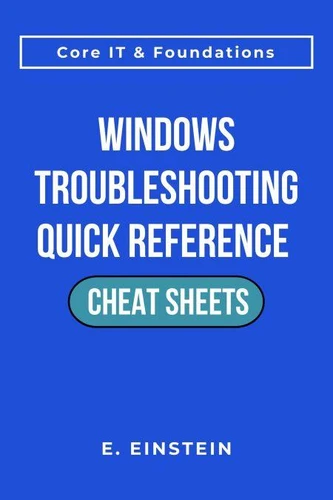
Windows Troubleshooting Quick Reference Cheat Sheets. ITFlashcard Core IT & Foundations Cheat Sheets
Par :Formats :
Disponible dans votre compte client Decitre ou Furet du Nord dès validation de votre commande. Le format ePub est :
- Compatible avec une lecture sur My Vivlio (smartphone, tablette, ordinateur)
- Compatible avec une lecture sur liseuses Vivlio
- Pour les liseuses autres que Vivlio, vous devez utiliser le logiciel Adobe Digital Edition. Non compatible avec la lecture sur les liseuses Kindle, Remarkable et Sony
 , qui est-ce ?
Notre partenaire de plateforme de lecture numérique où vous retrouverez l'ensemble de vos ebooks gratuitement
Pour en savoir plus sur nos ebooks, consultez notre aide en ligne ici
C'est si simple ! Lisez votre ebook avec l'app Vivlio sur votre tablette, mobile ou ordinateur :

- FormatePub
- ISBN8233690204
- EAN9798233690204
- Date de parution31/12/2025
- Protection num.pas de protection
- Infos supplémentairesepub
- ÉditeurLinda Balsamo
Résumé
Windows Troubleshooting Quick Reference Cheat Sheets is a practical, no-fluff reference guide designed for entry-level IT professionals, help desk technicians, and desktop support staff who need fast answers during active troubleshooting. This guide delivers 15 focused cheat sheets covering the most common Windows issues encountered in real-world IT environments: boot failures, BSOD analysis, update problems, performance diagnosis, network connectivity, disk management, user account issues, application crashes, services management, audio problems, firewall configuration, system file repair, remote desktop, driver management, and Event Viewer analysis.
Each cheat sheet follows a consistent, scannable format: Purpose, Key Concepts, Common Scenarios, Best Practices, and Quick Recall. This structure allows you to quickly locate the information you need without reading through lengthy explanations or filler content. Built for speed and efficiency, this book is intentionally concise-designed to be referenced during live troubleshooting sessions, not studied cover-to-cover.
Keep it on your desk, open it on a second monitor, or load it on your phone for immediate access to essential Windows troubleshooting procedures. Perfect for help desk environments, desktop support teams, and IT professionals building systematic troubleshooting skills in Windows 10/11 environments.
Each cheat sheet follows a consistent, scannable format: Purpose, Key Concepts, Common Scenarios, Best Practices, and Quick Recall. This structure allows you to quickly locate the information you need without reading through lengthy explanations or filler content. Built for speed and efficiency, this book is intentionally concise-designed to be referenced during live troubleshooting sessions, not studied cover-to-cover.
Keep it on your desk, open it on a second monitor, or load it on your phone for immediate access to essential Windows troubleshooting procedures. Perfect for help desk environments, desktop support teams, and IT professionals building systematic troubleshooting skills in Windows 10/11 environments.