SOLDES
Jusqu'à -70% sur une sélection d'articles*

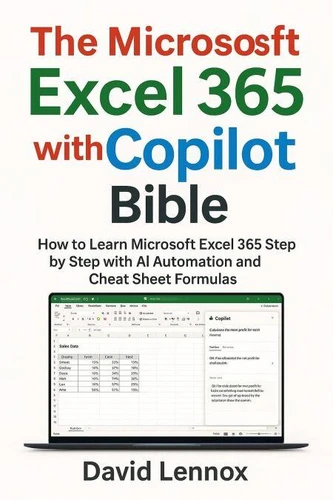
The Microsoft Excel 365 with Copilot Bible: How to Learn Microsoft Excel 365 Step by Step with AI Automation and Cheat Sheet Formulas
Par :Formats :
Disponible dans votre compte client Decitre ou Furet du Nord dès validation de votre commande. Le format ePub est :
- Compatible avec une lecture sur My Vivlio (smartphone, tablette, ordinateur)
- Compatible avec une lecture sur liseuses Vivlio
- Pour les liseuses autres que Vivlio, vous devez utiliser le logiciel Adobe Digital Edition. Non compatible avec la lecture sur les liseuses Kindle, Remarkable et Sony
 , qui est-ce ?
Notre partenaire de plateforme de lecture numérique où vous retrouverez l'ensemble de vos ebooks gratuitement
Pour en savoir plus sur nos ebooks, consultez notre aide en ligne ici
C'est si simple ! Lisez votre ebook avec l'app Vivlio sur votre tablette, mobile ou ordinateur :

- FormatePub
- ISBN8233351303
- EAN9798233351303
- Date de parution02/02/2026
- Protection num.pas de protection
- Infos supplémentairesepub
- ÉditeurLinda Balsamo
Résumé
Excel is no longer just a spreadsheet. It's an intelligent workspace. For decades, Microsoft Excel has been the backbone of business, finance, education, and analysis. But with the arrival of Excel 365 and Copilot, the way we work with data has fundamentally changed. Formulas are no longer the starting point. Conversation is. The Microsoft Excel 365 with Copilot Bible is a complete, modern guide to mastering Excel in the age of artificial intelligence.
It teaches you how to move beyond manual formulas and repetitive tasks-and start working with Excel as an AI-powered assistant. This book is designed for beginners and professionals alike. Whether you're opening Excel for the first time or have years of experience, you'll learn how to clean data, analyze trends, build dashboards, automate reports, and generate insights using natural-language prompts instead of complex syntax.
You'll discover how Copilot works inside Excel, how to structure your data for AI accuracy, and how to turn everyday questions into powerful analysis. From smarter formulas and automated workflows to forecasting, dashboards, and real-world business use cases, this guide bridges traditional Excel skills with modern AI productivity. Inside this book, you'll learn how to: Use Excel 365 and Copilot together to analyze data faster and more accurately Replace manual formulas with natural-language prompts Clean, organize, and transform data using AI assistance Build charts, dashboards, and reports in minutes Automate repetitive Excel tasks and workflows Understand and optimize formulas generated by AI Apply Excel AI skills in business, finance, analytics, and professional settings Prepare for the future of work with AI-powered spreadsheet literacy This is not a shortcut book-and it is not a collection of disconnected tips.
It is a structured, step-by-step guide that helps you think differently about Excel, data, and productivity. Every chapter is practical, clear, and designed to build confidence. If you've ever felt that Excel was powerful but overwhelming-or that AI felt exciting but unclear-this book is your bridge between the two. Stop memorizing formulas. Start asking better questions. Excel will do the rest.
It teaches you how to move beyond manual formulas and repetitive tasks-and start working with Excel as an AI-powered assistant. This book is designed for beginners and professionals alike. Whether you're opening Excel for the first time or have years of experience, you'll learn how to clean data, analyze trends, build dashboards, automate reports, and generate insights using natural-language prompts instead of complex syntax.
You'll discover how Copilot works inside Excel, how to structure your data for AI accuracy, and how to turn everyday questions into powerful analysis. From smarter formulas and automated workflows to forecasting, dashboards, and real-world business use cases, this guide bridges traditional Excel skills with modern AI productivity. Inside this book, you'll learn how to: Use Excel 365 and Copilot together to analyze data faster and more accurately Replace manual formulas with natural-language prompts Clean, organize, and transform data using AI assistance Build charts, dashboards, and reports in minutes Automate repetitive Excel tasks and workflows Understand and optimize formulas generated by AI Apply Excel AI skills in business, finance, analytics, and professional settings Prepare for the future of work with AI-powered spreadsheet literacy This is not a shortcut book-and it is not a collection of disconnected tips.
It is a structured, step-by-step guide that helps you think differently about Excel, data, and productivity. Every chapter is practical, clear, and designed to build confidence. If you've ever felt that Excel was powerful but overwhelming-or that AI felt exciting but unclear-this book is your bridge between the two. Stop memorizing formulas. Start asking better questions. Excel will do the rest.