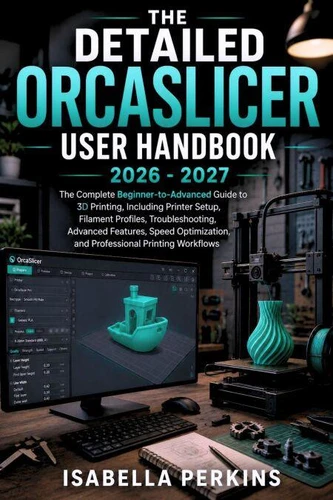
The Detailed OrcaSlicer User Handbook
Are you getting inconsistent 3D prints, wasting filament, or feeling overwhelmed by all the settings inside OrcaSlicer? You do not need to master everything at once. You need a clear, practical guide that shows you what matters, what to change, and when to change it.
The Detailed OrcaSlicer User Handbook is designed to take you from complete beginner to confident 3D printing user with straightforward explanations and practical workflows.
Whether you are setting up OrcaSlicer for the first time or looking to improve your existing print quality, this guide helps you print smarter, faster, and with fewer failed projects.
Inside This Guidebook, You'll Discover:
1. Printer Setup:** Configure your 3D printer and create the right printer profiles.
2. Filament Profiles:** Understand PLA, PETG, ABS, ASA, TPU, Nylon, temperatures, cooling, and material storage.
3.
Model Preparation:** Import, orient, scale, split, repair, and arrange 3D models for successful printing.
4. Print Settings:** Master layer height, walls, infill, top and bottom layers, seams, and surface quality.
5. Supports & Adhesion:** Improve first layers, prevent warping, and remove supports safely.
6. Calibration:** Learn flow rate, Pressure Advance, temperature, retraction, and volumetric speed calibration.
7.
Speed Optimization:** Print faster while maintaining reliable quality and reducing common defects.
8. Troubleshooting & Advanced Features:** Fix stringing, clogs, shifting, weak prints, and surface problems while exploring advanced OrcaSlicer tools.
Whether you're using OrcaSlicer for hobby projects, functional parts, prototypes, or professional 3D printing workflows, this handbook gives you practical knowledge you can apply immediately.
Stop guessing.
Start printing with confidence. Get your copy today and unlock the full potential of OrcaSlicer!
The Detailed OrcaSlicer User Handbook
Are you getting inconsistent 3D prints, wasting filament, or feeling overwhelmed by all the settings inside OrcaSlicer? You do not need to master everything at once. You need a clear, practical guide that shows you what matters, what to change, and when to change it.
The Detailed OrcaSlicer User Handbook is designed to take you from complete beginner to confident 3D printing user with straightforward explanations and practical workflows.
Whether you are setting up OrcaSlicer for the first time or looking to improve your existing print quality, this guide helps you print smarter, faster, and with fewer failed projects.
Inside This Guidebook, You'll Discover:
1. Printer Setup:** Configure your 3D printer and create the right printer profiles.
2. Filament Profiles:** Understand PLA, PETG, ABS, ASA, TPU, Nylon, temperatures, cooling, and material storage.
3.
Model Preparation:** Import, orient, scale, split, repair, and arrange 3D models for successful printing.
4. Print Settings:** Master layer height, walls, infill, top and bottom layers, seams, and surface quality.
5. Supports & Adhesion:** Improve first layers, prevent warping, and remove supports safely.
6. Calibration:** Learn flow rate, Pressure Advance, temperature, retraction, and volumetric speed calibration.
7.
Speed Optimization:** Print faster while maintaining reliable quality and reducing common defects.
8. Troubleshooting & Advanced Features:** Fix stringing, clogs, shifting, weak prints, and surface problems while exploring advanced OrcaSlicer tools.
Whether you're using OrcaSlicer for hobby projects, functional parts, prototypes, or professional 3D printing workflows, this handbook gives you practical knowledge you can apply immediately.
Stop guessing.
Start printing with confidence. Get your copy today and unlock the full potential of OrcaSlicer!