
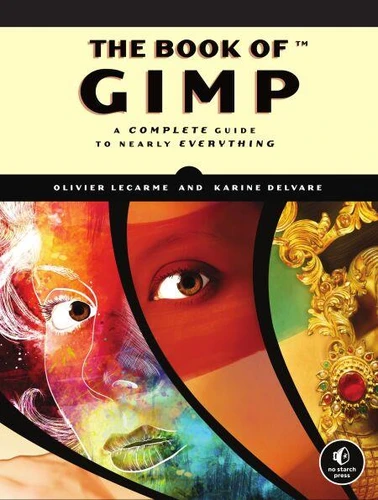
The Book of GIMP. A Complete Guide to Nearly Everything
Par : ,Formats :
Disponible dans votre compte client Decitre ou Furet du Nord dès validation de votre commande. Le format ePub est :
- Compatible avec une lecture sur My Vivlio (smartphone, tablette, ordinateur)
- Compatible avec une lecture sur liseuses Vivlio
- Pour les liseuses autres que Vivlio, vous devez utiliser le logiciel Adobe Digital Edition. Non compatible avec la lecture sur les liseuses Kindle, Remarkable et Sony
 , qui est-ce ?
Notre partenaire de plateforme de lecture numérique où vous retrouverez l'ensemble de vos ebooks gratuitement
Pour en savoir plus sur nos ebooks, consultez notre aide en ligne ici
C'est si simple ! Lisez votre ebook avec l'app Vivlio sur votre tablette, mobile ou ordinateur :

- Nombre de pages676
- FormatePub
- ISBN978-1-59327-501-3
- EAN9781593275013
- Date de parution12/01/2013
- Protection num.pas de protection
- Taille64 Mo
- Infos supplémentairesepub
- ÉditeurNo Starch Press
Résumé
GIMP is a free alternative to Adobe Photoshop with tons of professional-grade features. But with so many powerful tools and menu options, GIMP can be difficult to master. Whether you're struggling to get started or trying to master some of GIMP's more complex features, you'll find the answers you're looking for in The Book of GIMP. The tutorials in the first half of the book walk you through essential GIMP skills, like resizing and cropping images, touching up spots and scratches, and customizing your work area.
Illustrated, step-by-step instructions show you how to: -Improve the lighting and composition of images-Remove distortions and noise to make old and damaged photos look like new-Create stunning panoramas and digital collages using a series of photos-Make, edit, and export custom textures, logos, and animated GIFs-Work with selections, channels, and masks to edit images like a pro-Create colorful digital art, layer by layerThe book's second half offers a comprehensive reference to GIMP's many features, including color balancing, masks, filters, and plug-ins.
You'll find tools described in unparalleled detail, with coverage of nearly every option and parameter. With illustrated tutorials and detailed references, The Book of GIMP is sure to become your one-stop guide to just about everything GIMP.
Illustrated, step-by-step instructions show you how to: -Improve the lighting and composition of images-Remove distortions and noise to make old and damaged photos look like new-Create stunning panoramas and digital collages using a series of photos-Make, edit, and export custom textures, logos, and animated GIFs-Work with selections, channels, and masks to edit images like a pro-Create colorful digital art, layer by layerThe book's second half offers a comprehensive reference to GIMP's many features, including color balancing, masks, filters, and plug-ins.
You'll find tools described in unparalleled detail, with coverage of nearly every option and parameter. With illustrated tutorials and detailed references, The Book of GIMP is sure to become your one-stop guide to just about everything GIMP.