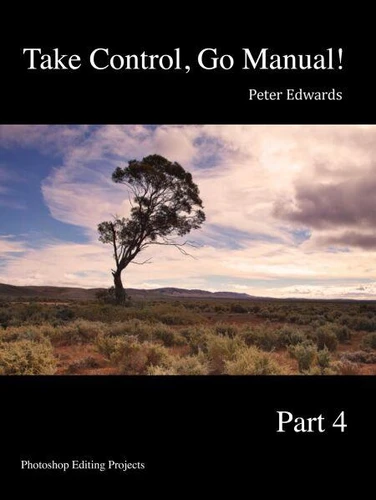
If you have read the Take Control, Go Manual Parts 1 to 3, you would have a much greater understanding of your manual camera settings, shooting techniques, color management and the fundamentals of editing. In this part I would like to take you through some more editing techniques that will enhance the images that you shoot. Many of the individual techniques were discussed in part 3 so this book is different in that it will provide guidance for complete projects rather the editing functionality.
This book is specifically written for and using Adobe Photoshop CS 6. Much of the functionality is available in earlier version of CS and Elements but I cannot guarantee you will be able to use all parts of the techniques that I describe. As photographers we can only shoot what we see. For example, we cannot control the weather. My pet hate is dull skies and while the purists will say that you should be able to shoot in any weather and we should be prepared to keep visiting locations until the conditions are right, we are often in a the situation where we can't do this.
Bad weather is great where the sky is interesting but I am sure that you have experienced situations where you are travelling and looking forward to shooting at a particular location and the day dawns, cloudy and dull. Never fear, help is at hand. You can replace a dull sky by copying the sky from another image! So when the weather presents you with a blue sky and interesting clouds, take some shots for later use.
How about adding snow or rain to an image without getting wet or turning day into night. The powers of Photoshop is such that you can use it to selectively enhance certain aspects of your image such as changing colors of an object or simply make some objects stand out. You have learnt about depth of field. If you didn't get it right while shooting, you can use the blurring tools to give a selective soft focus.
We will also show how to stitch multiple images to create a panorama, add painting effects and create borders. In addition to learning how to add some effects to your images, you will also learn more about the incredible functionality available in Photoshop. I hope you have fun trying some of these projects.
If you have read the Take Control, Go Manual Parts 1 to 3, you would have a much greater understanding of your manual camera settings, shooting techniques, color management and the fundamentals of editing. In this part I would like to take you through some more editing techniques that will enhance the images that you shoot. Many of the individual techniques were discussed in part 3 so this book is different in that it will provide guidance for complete projects rather the editing functionality.
This book is specifically written for and using Adobe Photoshop CS 6. Much of the functionality is available in earlier version of CS and Elements but I cannot guarantee you will be able to use all parts of the techniques that I describe. As photographers we can only shoot what we see. For example, we cannot control the weather. My pet hate is dull skies and while the purists will say that you should be able to shoot in any weather and we should be prepared to keep visiting locations until the conditions are right, we are often in a the situation where we can't do this.
Bad weather is great where the sky is interesting but I am sure that you have experienced situations where you are travelling and looking forward to shooting at a particular location and the day dawns, cloudy and dull. Never fear, help is at hand. You can replace a dull sky by copying the sky from another image! So when the weather presents you with a blue sky and interesting clouds, take some shots for later use.
How about adding snow or rain to an image without getting wet or turning day into night. The powers of Photoshop is such that you can use it to selectively enhance certain aspects of your image such as changing colors of an object or simply make some objects stand out. You have learnt about depth of field. If you didn't get it right while shooting, you can use the blurring tools to give a selective soft focus.
We will also show how to stitch multiple images to create a panorama, add painting effects and create borders. In addition to learning how to add some effects to your images, you will also learn more about the incredible functionality available in Photoshop. I hope you have fun trying some of these projects.

 , qui est-ce ?