Owen Mitchell J. is a technology writer and productivity educator dedicated to helping readers confidently master today's most important digital tools. She specializes in creating practical, easy-to-follow user guidebooks that simplify complex software into clear, step-by-step instructions for beginners, professionals, and business users alike.
Nouveauté
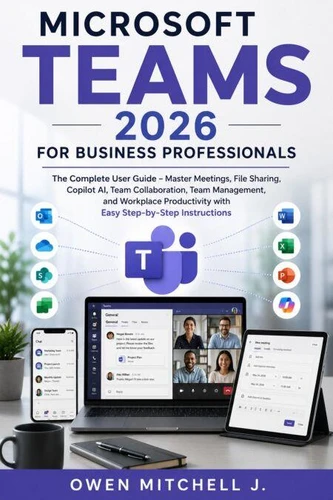
MICROSOFT TEAMS 2026 FOR BUSINESS PROFESSIONALS. The Complete User Guide - Master Meetings, File Sharing, Copilot AI, Team Collaboration, Team Management, and Workplace Productivity with Easy Step-by-Step Instructions
Par :Formats :
Disponible dans votre compte client Decitre ou Furet du Nord dès validation de votre commande. Le format ePub est :
- Compatible avec une lecture sur My Vivlio (smartphone, tablette, ordinateur)
- Compatible avec une lecture sur liseuses Vivlio
- Pour les liseuses autres que Vivlio, vous devez utiliser le logiciel Adobe Digital Edition. Non compatible avec la lecture sur les liseuses Kindle, Remarkable et Sony
 , qui est-ce ?
Notre partenaire de plateforme de lecture numérique où vous retrouverez l'ensemble de vos ebooks gratuitement
Pour en savoir plus sur nos ebooks, consultez notre aide en ligne ici
C'est si simple ! Lisez votre ebook avec l'app Vivlio sur votre tablette, mobile ou ordinateur :

- Nombre de pages193
- FormatePub
- ISBN978-3-565-58110-8
- EAN9783565581108
- Date de parution23/07/2026
- Protection num.pas de protection
- Taille534 Ko
- Infos supplémentairesepub
- ÉditeurEmphaloz Publishing House
Résumé
Transform the Way You Work with Microsoft Teams
Whether you're working from the office, remotely, or in a hybrid environment, Microsoft Teams has become the central hub for modern business communication and collaboration. Yet with its constantly evolving features, AI-powered tools, and deep Microsoft 365 integration, many professionals only use a fraction of what Teams has to offer.
Microsoft Teams 2026 for Business Professionals is a comprehensive user guidebook designed to help you confidently navigate the platform-from your very first meeting to managing teams, collaborating on projects, sharing files securely, and leveraging the power of Microsoft Copilot AI to work faster and smarter.
Written in clear, easy-to-follow language, this guidebook is intended for educational purposes, providing practical, step-by-step instruction to help readers build real-world Microsoft Teams skills without unnecessary technical jargon.
Inside this complete guide, you'll learn how to:
Navigate the Microsoft Teams interface with confidence
Create and manage teams and channels effectively
Schedule, host, and participate in professional meetings
Share, organize, and collaborate on files securely
Use Microsoft Copilot AI to summarize meetings, generate content, and automate everyday tasks
Manage chats, notifications, calendars, and collaborative workspaces
Improve communication in remote, hybrid, and in-office environments
Apply productivity tips, shortcuts, and best practices used by successful business professionals
Understand security, permissions, privacy settings, and team management features
This book is ideal for:
Business professionals
Office employees
Managers and team leaders
Remote and hybrid workers
Administrative professionals
Educators and trainers
Entrepreneurs and small business owners
Students preparing for today's digital workplace
Anyone who wants to master Microsoft Teams with confidence