SOLDES
Jusqu'à -70% sur une sélection d'articles*

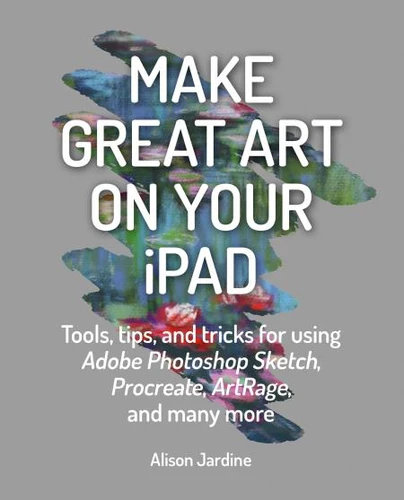
Make Great Art on Your iPad. Draw, Paint & Share
Par :Formats :
Disponible dans votre compte client Decitre ou Furet du Nord dès validation de votre commande. Le format ePub protégé est :
- Compatible avec une lecture sur My Vivlio (smartphone, tablette, ordinateur)
- Compatible avec une lecture sur liseuses Vivlio
- Pour les liseuses autres que Vivlio, vous devez utiliser le logiciel Adobe Digital Edition. Non compatible avec la lecture sur les liseuses Kindle, Remarkable et Sony
- Non compatible avec un achat hors France métropolitaine
 , qui est-ce ?
Notre partenaire de plateforme de lecture numérique où vous retrouverez l'ensemble de vos ebooks gratuitement
Pour en savoir plus sur nos ebooks, consultez notre aide en ligne ici
C'est si simple ! Lisez votre ebook avec l'app Vivlio sur votre tablette, mobile ou ordinateur :

- Nombre de pages144
- FormatePub
- ISBN978-1-78157-794-3
- EAN9781781577943
- Date de parution12/02/2020
- Protection num.Adobe DRM
- Infos supplémentairesepub
- ÉditeurIlex Press
Résumé
Fully revised to reflect the latest updates in the most popular creativity apps, this is the original, best-selling guide to using creative apps on your Apple device to produce your very own masterpieces. Artists like David Hockney have taken to creating art on the iPad, but you don't have to be an artist to achieve great results on your device. This refreshingly accessible book is perfect for skilled artists and creative wannabes alike.
Alongside the step-by-step projects that teach the fundamentals of digital painting, there are also some easy and fun artistic tricks that anyone can try. You'll master the most popular art apps, and you will learn new painting and drawing skills along the way. Includes advice on using Procreate, ArtRage, Art Studio for iPad, Adobe Photoshop Sketch, Pen & Ink, Brushes and Tayasui Sketches Pro.
Alongside the step-by-step projects that teach the fundamentals of digital painting, there are also some easy and fun artistic tricks that anyone can try. You'll master the most popular art apps, and you will learn new painting and drawing skills along the way. Includes advice on using Procreate, ArtRage, Art Studio for iPad, Adobe Photoshop Sketch, Pen & Ink, Brushes and Tayasui Sketches Pro.