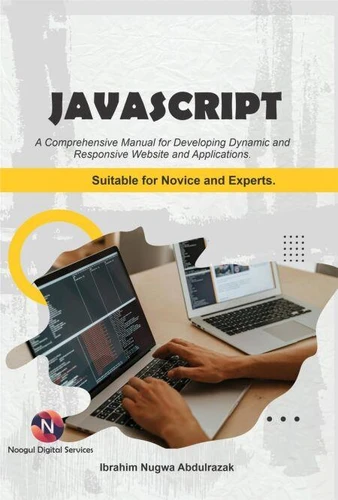
JavaScript.. A Comprehensive manual for creating dynamic, responsive websites and applications
Par :Formats :
Disponible dans votre compte client Decitre ou Furet du Nord dès validation de votre commande. Le format ePub est :
- Compatible avec une lecture sur My Vivlio (smartphone, tablette, ordinateur)
- Compatible avec une lecture sur liseuses Vivlio
- Pour les liseuses autres que Vivlio, vous devez utiliser le logiciel Adobe Digital Edition. Non compatible avec la lecture sur les liseuses Kindle, Remarkable et Sony
 , qui est-ce ?
Notre partenaire de plateforme de lecture numérique où vous retrouverez l'ensemble de vos ebooks gratuitement
Pour en savoir plus sur nos ebooks, consultez notre aide en ligne ici
C'est si simple ! Lisez votre ebook avec l'app Vivlio sur votre tablette, mobile ou ordinateur :

- Nombre de pages256
- FormatePub
- ISBN978-3-565-18978-6
- EAN9783565189786
- Date de parution23/01/2026
- Protection num.pas de protection
- Taille1 Mo
- Infos supplémentairesepub
- ÉditeurEmphaloz Publishing House
Résumé
This book shows off JavaScript's potential for developing web applications by mixing in-depth theory instruction with enjoyable assignments that will push your limits. To gain a thorough knowledge of the ideas, you can experiment with them in your own editor or browser console as you learn them.
Basic programming concepts, including variables, arrays, objects, functions, conditionals, loops, classes, and more, will be covered first.
Building on this foundation, you'll combine JavaScript with HTML and CSS to create interactive web applications that you can use immediately away, with the help of interesting examples and practical exercises. The fundamentals of the JavaScript language will be used to help you learn how to create your own scripts from scratch, which will make the script-writing process easier. Detailed examples and scripts explaining how to combine JavaScript with Google Apps script were provided in Chapters Sixteen and Seventeen.
Creating and releasing add-ons for Google Sheets, Docs, and Forms on an online shop is made simple using Apps Script. It functions as a unified platform for creating, coding, and eventually sharing apps on the web store. The concepts of creating a menu, sending emails, developing interactive web pages, creating a user login and registration form, submitting HTML form data to Google Sheets, searching Google Sheets content from a website, and putting all of these strategies into practice to create an interactive web page that serves as a form to submit sheets will all be covered.
Building on this foundation, you'll combine JavaScript with HTML and CSS to create interactive web applications that you can use immediately away, with the help of interesting examples and practical exercises. The fundamentals of the JavaScript language will be used to help you learn how to create your own scripts from scratch, which will make the script-writing process easier. Detailed examples and scripts explaining how to combine JavaScript with Google Apps script were provided in Chapters Sixteen and Seventeen.
Creating and releasing add-ons for Google Sheets, Docs, and Forms on an online shop is made simple using Apps Script. It functions as a unified platform for creating, coding, and eventually sharing apps on the web store. The concepts of creating a menu, sending emails, developing interactive web pages, creating a user login and registration form, submitting HTML form data to Google Sheets, searching Google Sheets content from a website, and putting all of these strategies into practice to create an interactive web page that serves as a form to submit sheets will all be covered.