
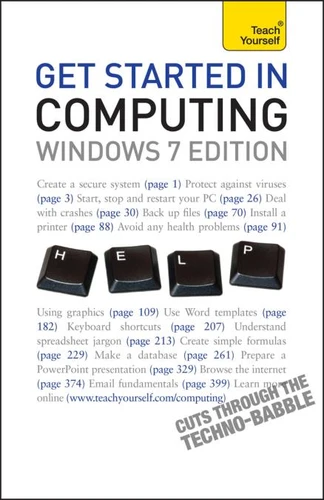
Get Started In Computing: Teach Yourself
Par :Formats :
Disponible dans votre compte client Decitre ou Furet du Nord dès validation de votre commande. Le format ePub protégé est :
- Compatible avec une lecture sur My Vivlio (smartphone, tablette, ordinateur)
- Compatible avec une lecture sur liseuses Vivlio
- Pour les liseuses autres que Vivlio, vous devez utiliser le logiciel Adobe Digital Edition. Non compatible avec la lecture sur les liseuses Kindle, Remarkable et Sony
- Non compatible avec un achat hors France métropolitaine
 , qui est-ce ?
Notre partenaire de plateforme de lecture numérique où vous retrouverez l'ensemble de vos ebooks gratuitement
Pour en savoir plus sur nos ebooks, consultez notre aide en ligne ici
C'est si simple ! Lisez votre ebook avec l'app Vivlio sur votre tablette, mobile ou ordinateur :

- Nombre de pages300
- FormatePub
- ISBN978-1-4441-2938-0
- EAN9781444129380
- Date de parution28/01/2010
- Protection num.Adobe DRM
- Infos supplémentairesepub
- ÉditeurTeach Yourself
Résumé
Get Started in Computing is perfect for any new computer user who wants to get up and running quickly and simply. If you are a beginner it is a cost-effective alternative to buying an expensive manual for each application. Though Written for the general user, you will also find the level and content relevant if you are following MOUS certification, SQA modules and BCS Level 1/2 application courses.
With step-by-step instructions, minimal jargon and detailed explanations of all the technical terms, this book will give you the confidence to move forward and expand your knowledge. Updated for Windows 7, the book covers all the basics, helping you to find ways of using your computer to suit you. Also included:- Health and safety laws and guidelines affecting the use of IT- Creating and maintaining a safe workstation environment- MS Office interface - ribbon, tabs, groups, MSO button and menu, Quick Access toolbar- Advantages and disadvantages of different email systems- Netiquette- Hidden dangers - unsolicited email, virus dangersNOT GOT MUCH TIME?One and five-minute introductions to key principles to get you started.
AUTHOR INSIGHTSLots of instant help with common problems and quick tips for success, based on the author's many years of experience. TEST YOURSELFTests in the book and online to keep track of your progress. EXTEND YOUR KNOWLEDGEExtra online articles at www.teachyourself.com to give you a richer understanding of the basics of computing. FIVE THINGS TO REMEMBERQuick refreshers to help you remember the key facts.
TRY THISInnovative exercises illustrate what you've learnt and how to use it.
With step-by-step instructions, minimal jargon and detailed explanations of all the technical terms, this book will give you the confidence to move forward and expand your knowledge. Updated for Windows 7, the book covers all the basics, helping you to find ways of using your computer to suit you. Also included:- Health and safety laws and guidelines affecting the use of IT- Creating and maintaining a safe workstation environment- MS Office interface - ribbon, tabs, groups, MSO button and menu, Quick Access toolbar- Advantages and disadvantages of different email systems- Netiquette- Hidden dangers - unsolicited email, virus dangersNOT GOT MUCH TIME?One and five-minute introductions to key principles to get you started.
AUTHOR INSIGHTSLots of instant help with common problems and quick tips for success, based on the author's many years of experience. TEST YOURSELFTests in the book and online to keep track of your progress. EXTEND YOUR KNOWLEDGEExtra online articles at www.teachyourself.com to give you a richer understanding of the basics of computing. FIVE THINGS TO REMEMBERQuick refreshers to help you remember the key facts.
TRY THISInnovative exercises illustrate what you've learnt and how to use it.