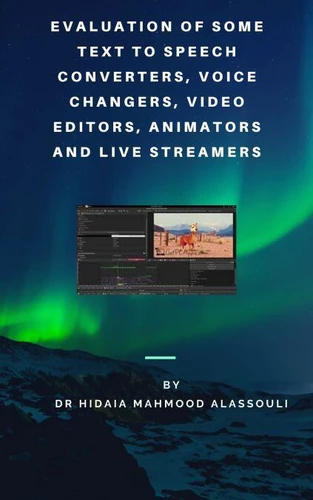
Evaluation of Some Text to Speech. Converters, Voice Changers, Video Editors, Animators, Speaking Avatar Makers and Live Streamers
Par :Formats :
Disponible dans votre compte client Decitre ou Furet du Nord dès validation de votre commande. Le format ePub est :
- Compatible avec une lecture sur My Vivlio (smartphone, tablette, ordinateur)
- Compatible avec une lecture sur liseuses Vivlio
- Pour les liseuses autres que Vivlio, vous devez utiliser le logiciel Adobe Digital Edition. Non compatible avec la lecture sur les liseuses Kindle, Remarkable et Sony
 , qui est-ce ?
Notre partenaire de plateforme de lecture numérique où vous retrouverez l'ensemble de vos ebooks gratuitement
Pour en savoir plus sur nos ebooks, consultez notre aide en ligne ici
C'est si simple ! Lisez votre ebook avec l'app Vivlio sur votre tablette, mobile ou ordinateur :

- Nombre de pages61
- FormatePub
- ISBN978-3-96917-638-2
- EAN9783969176382
- Date de parution19/06/2020
- Protection num.Digital Watermarking
- Taille13 Mo
- Infos supplémentairesepub
- ÉditeurVigilo Books
Résumé
As videos are so much important todays, I believe that everyone must have some knowledge on creating and editing videos for of common tasks required by his personal or business use. This book has mainly an objective to evaluate some text to speech converters, voice changers, video editors, cartoon animators and video recording and live streaming programs. As I am Arabic, I gave special importance to look for the best tools that can convert Arabic text to voice with good quality because of the lack of these tools.
And I also gave special importance to look for the best tools that can change the voice tune as a lot of people dont like to make videos with their voice for special reasons. Then I gave quick guide on how to use the two important video editors, VSDC Free Video Editor and Camtasia Studio. Then I gave quick guide on how to use two websites that enable people to create cartoon animation videos in a simple way, https://www.animaker.com/ website and https://www.powtoon.com website.
Then I gave quick guide on how to us one of the best animator programs, which is Reallusion Cartoon Animator 4. I explained also how it is possible to make face mockup through Cartoon Animator 4Motion Live 2D Plugin. Then I introduced Adobe Character Animator as alternative program to make face mockup. Finally I explained about one of the video recording and live streaming programs, which is OBS Studio.
I mentioned briefly how to setup OBS studio to create livestream video on Youtube and Facebook. At the end, I showed how to use Voki website to create customizable speaking avatars This work is divided to the following sections. 1. Some tools to reshape the Arabic letters so they can be converted to voice in other tools.2. Some tools to convert English text to speech TTS.3. Some tools to convert Arabic text to speech TTS.4.
Evaluation of some voice changers5. Creating video of audio file with list of images (slideshow) using VSDC Free Video Editor.:6. Screen capture using VSDC Free Video Editor.7. Video capture using VSDC Free Video Editor.8. Using https://www.animaker.com/ website to create simple cartoon animation video.9. Using https://www.powtoon.com website to create animation video.10. Using Camtasia Studio Video Editor11.
Using Camtasia Studio Recorder12. Using Reallusion Cartoon Animator 4:13. Making Face Mockup on Cartoon Animator 4 through Motion Live 2D Plugin14. Introduction to Adobe Character Animator15. Setting OBS Studio for live stream:16. Creating live stream video on Youtube with OBS studio:17. Creating Live stream video on Facebook with OBS studio:18. Using Voki website https://www.voki.com/ to create customizable speaking avatars.
And I also gave special importance to look for the best tools that can change the voice tune as a lot of people dont like to make videos with their voice for special reasons. Then I gave quick guide on how to use the two important video editors, VSDC Free Video Editor and Camtasia Studio. Then I gave quick guide on how to use two websites that enable people to create cartoon animation videos in a simple way, https://www.animaker.com/ website and https://www.powtoon.com website.
Then I gave quick guide on how to us one of the best animator programs, which is Reallusion Cartoon Animator 4. I explained also how it is possible to make face mockup through Cartoon Animator 4Motion Live 2D Plugin. Then I introduced Adobe Character Animator as alternative program to make face mockup. Finally I explained about one of the video recording and live streaming programs, which is OBS Studio.
I mentioned briefly how to setup OBS studio to create livestream video on Youtube and Facebook. At the end, I showed how to use Voki website to create customizable speaking avatars This work is divided to the following sections. 1. Some tools to reshape the Arabic letters so they can be converted to voice in other tools.2. Some tools to convert English text to speech TTS.3. Some tools to convert Arabic text to speech TTS.4.
Evaluation of some voice changers5. Creating video of audio file with list of images (slideshow) using VSDC Free Video Editor.:6. Screen capture using VSDC Free Video Editor.7. Video capture using VSDC Free Video Editor.8. Using https://www.animaker.com/ website to create simple cartoon animation video.9. Using https://www.powtoon.com website to create animation video.10. Using Camtasia Studio Video Editor11.
Using Camtasia Studio Recorder12. Using Reallusion Cartoon Animator 4:13. Making Face Mockup on Cartoon Animator 4 through Motion Live 2D Plugin14. Introduction to Adobe Character Animator15. Setting OBS Studio for live stream:16. Creating live stream video on Youtube with OBS studio:17. Creating Live stream video on Facebook with OBS studio:18. Using Voki website https://www.voki.com/ to create customizable speaking avatars.
A propos de Dr. Hidaia Mahmood Alassouli

15,99 €