
Nouveauté
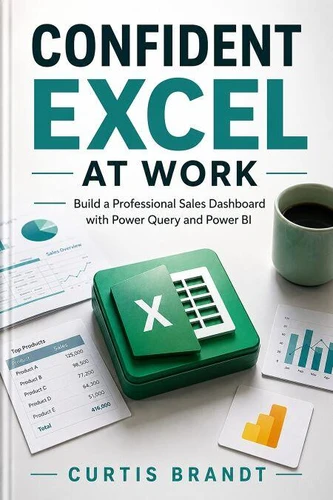
Confident Excel at Work. Build a Professional Sales Dashboard with Power Query and Power BI
Par :Formats :
Disponible dans votre compte client Decitre ou Furet du Nord dès validation de votre commande. Le format ePub est :
- Compatible avec une lecture sur My Vivlio (smartphone, tablette, ordinateur)
- Compatible avec une lecture sur liseuses Vivlio
- Pour les liseuses autres que Vivlio, vous devez utiliser le logiciel Adobe Digital Edition. Non compatible avec la lecture sur les liseuses Kindle, Remarkable et Sony
 , qui est-ce ?
Notre partenaire de plateforme de lecture numérique où vous retrouverez l'ensemble de vos ebooks gratuitement
Pour en savoir plus sur nos ebooks, consultez notre aide en ligne ici
C'est si simple ! Lisez votre ebook avec l'app Vivlio sur votre tablette, mobile ou ordinateur :

- FormatePub
- ISBN8259604735
- EAN9798259604735
- Date de parution29/06/2026
- Protection num.pas de protection
- Taille737 Ko
- Infos supplémentairesepub
- ÉditeurChiify
Résumé
Excel at work, master spreadsheets, learn Excel fast. Go from nervous beginner to capable user with practical workbooks covering formulas, formatting, charts, and analysis, all built around the tasks you face daily. This hands-on guide transforms confusion into confidence, step by step. Whether you're creating budgets, tracking sales, or visualizing data, each chapter focuses on real-world scenarios you encounter in the office.
Start with the basics: navigate the ribbon, enter data, and format cells like a pro. Then level up to essential formulas-SUM, IF, VLOOKUP-and learn how to troubleshoot errors without panic. Next, build dynamic charts and pivot tables to summarize insights at a glance. Finally, tackle advanced analysis with conditional formatting, data validation, and what-if scenarios. No fluff, no jargon-just clear instructions and downloadable practice files.
By the end, you'll automate repetitive tasks, impress your boss, and solve problems independently. Perfect for administrative assistants, project managers, small business owners, and anyone who feels overwhelmed by Excel. Includes cheat sheets, keyboard shortcuts, and a troubleshooting guide. Stop struggling and start succeeding. [placeholder] and [placeholder] cover similar ground, but this workbook delivers more hands-on exercises tailored to daily work. This hands-on Excel/BI guide is written to be used at the keyboard: every concept is paired with something you can run, adapt, and keep.
You move from first principles to real, working results, with the common errors and fixes called out along the way so you are never stuck for long.
Start with the basics: navigate the ribbon, enter data, and format cells like a pro. Then level up to essential formulas-SUM, IF, VLOOKUP-and learn how to troubleshoot errors without panic. Next, build dynamic charts and pivot tables to summarize insights at a glance. Finally, tackle advanced analysis with conditional formatting, data validation, and what-if scenarios. No fluff, no jargon-just clear instructions and downloadable practice files.
By the end, you'll automate repetitive tasks, impress your boss, and solve problems independently. Perfect for administrative assistants, project managers, small business owners, and anyone who feels overwhelmed by Excel. Includes cheat sheets, keyboard shortcuts, and a troubleshooting guide. Stop struggling and start succeeding. [placeholder] and [placeholder] cover similar ground, but this workbook delivers more hands-on exercises tailored to daily work. This hands-on Excel/BI guide is written to be used at the keyboard: every concept is paired with something you can run, adapt, and keep.
You move from first principles to real, working results, with the common errors and fixes called out along the way so you are never stuck for long.