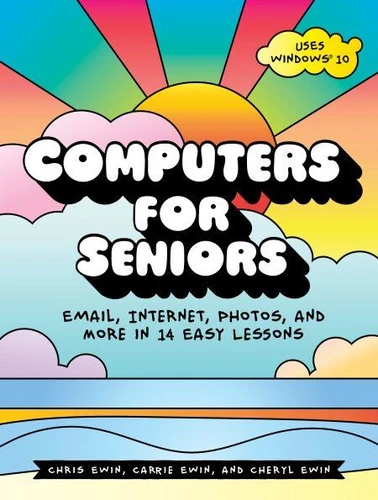
Computers for Seniors. Email, Internet, Photos, and More in 14 Easy Lessons
Par : , ,Formats :
Disponible dans votre compte client Decitre ou Furet du Nord dès validation de votre commande. Le format ePub est :
- Compatible avec une lecture sur My Vivlio (smartphone, tablette, ordinateur)
- Compatible avec une lecture sur liseuses Vivlio
- Pour les liseuses autres que Vivlio, vous devez utiliser le logiciel Adobe Digital Edition. Non compatible avec la lecture sur les liseuses Kindle, Remarkable et Sony
 , qui est-ce ?
Notre partenaire de plateforme de lecture numérique où vous retrouverez l'ensemble de vos ebooks gratuitement
Pour en savoir plus sur nos ebooks, consultez notre aide en ligne ici
C'est si simple ! Lisez votre ebook avec l'app Vivlio sur votre tablette, mobile ou ordinateur :

- Nombre de pages332
- FormatePub
- ISBN978-1-59327-833-5
- EAN9781593278335
- Date de parution17/10/2017
- Protection num.pas de protection
- Taille27 Mo
- Infos supplémentairesepub
- ÉditeurNo Starch Press
Résumé
My Kids Just Gave Me a Computer, What Do I Do Now?Computers for Seniors is a step-by-step, full-color guide that will take you all the way from pressing the "On" button on your new computer to being a confident user who can send email to family and friends, shop online safely, read the latest news, watch funny YouTube videos, share cute pictures of your grandkids, check the weather forecast, and much more.
You'll learn to:-Plug in, set up, and turn on your computer-Print and share photos of your grandkids, vacations, pets, friends, and special life events-Install helpful tools like a calendar, money manager, and weather tracker-Search the internet for news, recipes, gardening tips, sports updates, and anything else that interests you-Watch entertaining YouTube videos or educational lectures and make video calls to anywhere in the world-Find and listen to new music (or your favorite classics) and read electronic books-Email your friends and family-Stay safe online and keep your private information secureComputers for Seniors will show you how to get what you really want from your PC, with the help of full-color illustrations, friendly instructions, and a touch of humor.
Each lesson has small exercises to test your skills and help you practice, to make sure you feel comfortable with what you've learned before you move on. It's never too late to have fun and get more out of your PC-Computers for Seniors will ease you into the computer generation by guiding you every step of the way.
You'll learn to:-Plug in, set up, and turn on your computer-Print and share photos of your grandkids, vacations, pets, friends, and special life events-Install helpful tools like a calendar, money manager, and weather tracker-Search the internet for news, recipes, gardening tips, sports updates, and anything else that interests you-Watch entertaining YouTube videos or educational lectures and make video calls to anywhere in the world-Find and listen to new music (or your favorite classics) and read electronic books-Email your friends and family-Stay safe online and keep your private information secureComputers for Seniors will show you how to get what you really want from your PC, with the help of full-color illustrations, friendly instructions, and a touch of humor.
Each lesson has small exercises to test your skills and help you practice, to make sure you feel comfortable with what you've learned before you move on. It's never too late to have fun and get more out of your PC-Computers for Seniors will ease you into the computer generation by guiding you every step of the way.