
Nouveauté
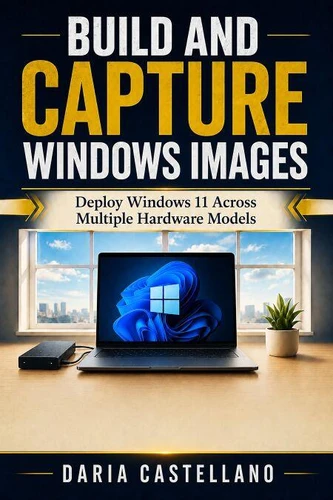
Build and Capture Windows Images. Deploy Windows 11 Across Multiple Hardware Models
Par :Formats :
Disponible dans votre compte client Decitre ou Furet du Nord dès validation de votre commande. Le format ePub est :
- Compatible avec une lecture sur My Vivlio (smartphone, tablette, ordinateur)
- Compatible avec une lecture sur liseuses Vivlio
- Pour les liseuses autres que Vivlio, vous devez utiliser le logiciel Adobe Digital Edition. Non compatible avec la lecture sur les liseuses Kindle, Remarkable et Sony
 , qui est-ce ?
Notre partenaire de plateforme de lecture numérique où vous retrouverez l'ensemble de vos ebooks gratuitement
Pour en savoir plus sur nos ebooks, consultez notre aide en ligne ici
C'est si simple ! Lisez votre ebook avec l'app Vivlio sur votre tablette, mobile ou ordinateur :

- FormatePub
- ISBN8259603844
- EAN9798259603844
- Date de parution29/06/2026
- Protection num.pas de protection
- Taille911 Ko
- Infos supplémentairesepub
- ÉditeurChiify
Résumé
Windows image deployment and MDT task sequences. Learn to build, capture, and deploy Windows images with MDT and WDS. This step-by-step guide covers reference builds, task sequences, drivers, and network rollout. Ideal for IT pros, from beginner to pro. Master Windows deployment with practical, hands-on techniques. Unlike Andy Rathbone (Windows 11 For Dummies) or Pavel Yosifovich (Windows Internals), this book focuses on image creation and capture.
What You'll Learn
Set up MDT and WDS for network deployment
Create reference builds with task sequences
Manage drivers and applications in images
Capture and deploy Windows images step by step
Automate rollout with scripts and rules
Troubleshoot common deployment issues
Daria Castellano delivers a clear, practical approach to Windows imaging.
Perfect for system administrators and IT support staff. Start building and capturing Windows images today. This hands-on Windows/IT guide is written to be used at the keyboard: every concept is paired with something you can run, adapt, and keep. You move from first principles to real, working results, with the common errors and fixes called out along the way so you are never stuck for long. This hands-on Windows/IT guide is written to be used at the keyboard: every concept is paired with something you can run, adapt, and keep.
You move from first principles to real, working results, with the common errors and fixes called out along the way so you are never stuck for long.
Perfect for system administrators and IT support staff. Start building and capturing Windows images today. This hands-on Windows/IT guide is written to be used at the keyboard: every concept is paired with something you can run, adapt, and keep. You move from first principles to real, working results, with the common errors and fixes called out along the way so you are never stuck for long. This hands-on Windows/IT guide is written to be used at the keyboard: every concept is paired with something you can run, adapt, and keep.
You move from first principles to real, working results, with the common errors and fixes called out along the way so you are never stuck for long.