
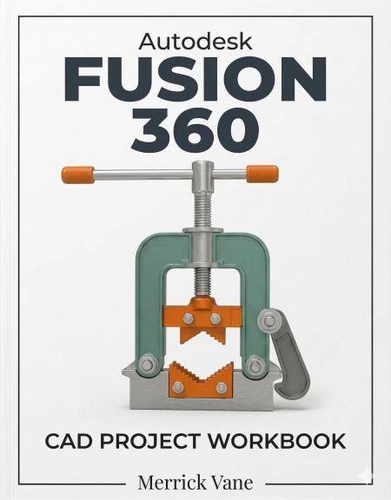
Autodesk Fusion 360 CAD Project Workbook
Par :Formats :
Disponible dans votre compte client Decitre ou Furet du Nord dès validation de votre commande. Le format ePub protégé est :
- Compatible avec une lecture sur My Vivlio (smartphone, tablette, ordinateur)
- Compatible avec une lecture sur liseuses Vivlio
- Pour les liseuses autres que Vivlio, vous devez utiliser le logiciel Adobe Digital Edition. Non compatible avec la lecture sur les liseuses Kindle, Remarkable et Sony
- Non compatible avec un achat hors France métropolitaine
 , qui est-ce ?
Notre partenaire de plateforme de lecture numérique où vous retrouverez l'ensemble de vos ebooks gratuitement
Pour en savoir plus sur nos ebooks, consultez notre aide en ligne ici
C'est si simple ! Lisez votre ebook avec l'app Vivlio sur votre tablette, mobile ou ordinateur :

- FormatePub
- ISBN8233932373
- EAN9798233932373
- Date de parution25/03/2026
- Protection num.Adobe DRM
- Infos supplémentairesepub
- ÉditeurLinda Balsamo
Résumé
Most CAD tutorials show you a finished model and briefly summarize the clicks required to get there. You watch the video, try it on your own canvas, and immediately hit a wall when a sketch refuses to constrain or a mechanical joint moves the wrong direction. This CAD Project Workbook was written to solve that exact frustration. You do not read pages of abstract theory. You open the software and immediately start sketching.
The book guides you through actual part modeling, assembling multiple components, and generating professional 2D blueprints. You learn a command only because you physically need it to finish the geometry on your screen. The exercises mirror the actual friction of mechanical design. Instead of getting bogged down in endless menus, you will design solid parts like a manifold flange and add structural ribs.
You will assemble components using constraints and pins so they interact correctly in the digital workspace. When your 3D models are complete, you will transition to the drafting environment to place projected views and add exact dimensions for manufacturing. You never have to guess what to practice next. The sequence builds naturally from basic shapes into complex solid bodies and full assemblies.
When you finish the final drawing, you will possess the muscle memory to look at a physical object on your desk and know exactly which commands will recreate it on your screen.
The book guides you through actual part modeling, assembling multiple components, and generating professional 2D blueprints. You learn a command only because you physically need it to finish the geometry on your screen. The exercises mirror the actual friction of mechanical design. Instead of getting bogged down in endless menus, you will design solid parts like a manifold flange and add structural ribs.
You will assemble components using constraints and pins so they interact correctly in the digital workspace. When your 3D models are complete, you will transition to the drafting environment to place projected views and add exact dimensions for manufacturing. You never have to guess what to practice next. The sequence builds naturally from basic shapes into complex solid bodies and full assemblies.
When you finish the final drawing, you will possess the muscle memory to look at a physical object on your desk and know exactly which commands will recreate it on your screen.