OFFRE LISEUSES
Une liseuse achetée = une housse offerte* jusqu'au 21 juin

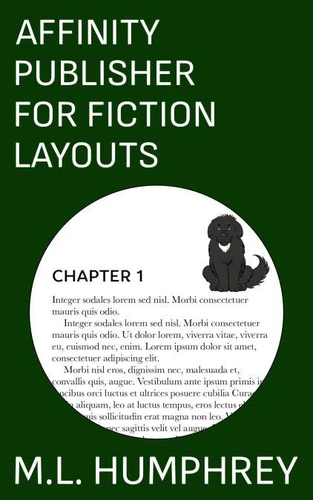
Affinity Publisher for Fiction Layouts. Affinity Publisher for Self-Publishing, #1
Par :Formats :
Disponible dans votre compte client Decitre ou Furet du Nord dès validation de votre commande. Le format ePub est :
- Compatible avec une lecture sur My Vivlio (smartphone, tablette, ordinateur)
- Compatible avec une lecture sur liseuses Vivlio
- Pour les liseuses autres que Vivlio, vous devez utiliser le logiciel Adobe Digital Edition. Non compatible avec la lecture sur les liseuses Kindle, Remarkable et Sony
 , qui est-ce ?
Notre partenaire de plateforme de lecture numérique où vous retrouverez l'ensemble de vos ebooks gratuitement
Pour en savoir plus sur nos ebooks, consultez notre aide en ligne ici
C'est si simple ! Lisez votre ebook avec l'app Vivlio sur votre tablette, mobile ou ordinateur :

- FormatePub
- ISBN8201945756
- EAN9798201945756
- Date de parution04/10/2021
- Protection num.pas de protection
- Infos supplémentairesepub
- ÉditeurJL
Résumé
Most self-publishers focus their time and attention on publishing ebooks. And when they do publish in print they tend to use either Word or Vellum or the print option provided by D2D. For those who want to move beyond the constraints of these choices, Affinity Publisher is one of the best options available. It's a one-time purchase software that allows for a fully-customized print layout. The only limitation is the skill of the user.
This book aims to give beginners to Affinity Publisher the skills to create a basic print layout for a fiction title that includes a title page, also by page, copyright information, about the author, and, of course, the main body of the document. The layout created in this book also includes an image in the front matter, back matter, and chapter starts to add a little something extra. To use this book you should be familiar with the basics of how to work in a Microsoft Office-type program, so know what dropdowns, dialogue boxes, etc.
are. Ideally you should also know the basics of formatting for print although that will be mentioned as we go. So if you're ready to take your print fiction formatting to the next level, then click buy and let's get started.
This book aims to give beginners to Affinity Publisher the skills to create a basic print layout for a fiction title that includes a title page, also by page, copyright information, about the author, and, of course, the main body of the document. The layout created in this book also includes an image in the front matter, back matter, and chapter starts to add a little something extra. To use this book you should be familiar with the basics of how to work in a Microsoft Office-type program, so know what dropdowns, dialogue boxes, etc.
are. Ideally you should also know the basics of formatting for print although that will be mentioned as we go. So if you're ready to take your print fiction formatting to the next level, then click buy and let's get started.
A propos de M.L. Humphrey
16,99 €