SOLDES
Jusqu'à -70% sur une sélection d'articles*
- Accueil /
- Desmond Sandoval
Desmond Sandoval

Dernière sortie
Why Is This PC So Slow
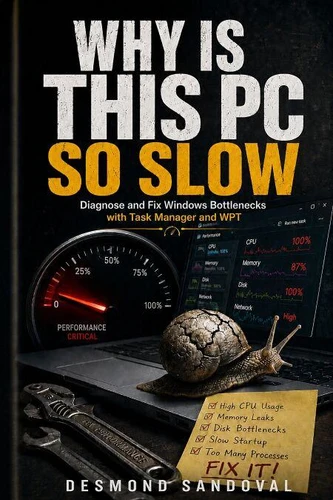
Windows slow fix and speed up PC. Is your Windows PC crawling, freezing, or taking forever to boot? You're not alone, and the fix is simpler than you think. In Why Is This PC So Slow, IT veteran Desmond Sandoval hands you the exact tools and techniques to diagnose and fix sluggish Windows machines-using Task Manager, Resource Monitor, and event logs to find the real cause and resolve it. Whether you're a beginner or a pro, this practical guide cuts through the noise to show you how to speed up your PC, stop crashes, and reclaim your productivity.
No fluff, no guesswork-just step-by-step solutions that work on Windows 10 and 11. You'll learn to spot the hidden culprits: rogue processes, memory hogs, disk bottlenecks, and malware masquerading as system tasks. Sandoval teaches you to read event logs like a detective, isolate hardware issues, and optimize startup programs-all without expensive software or risky registry hacks. With real-world examples and clear instructions, you'll go from frustrated to empowered in hours. What You'll Discover Inside: How to use Task Manager to identify the #1 performance killer in under 60 seconds Resource Monitor tricks to pinpoint disk, CPU, and memory bottlenecks Event log analysis to catch driver conflicts and system errors before they slow you down Step-by-step fixes for common slowdowns: high disk usage, memory leaks, and background apps Pro tips to prevent future slowdowns and keep your PC running like new Unlike Windows 11 For Dummies, 2nd Edition by [placeholder] or Windows Internals: System architecture, processes, threads, memory management, and more, Part 1 by [placeholder], this book focuses exclusively on performance troubleshooting-no fluff, no theory, just actionable fixes.
Whether you're a senior, a gamer, or a sysadmin, you'll find the exact steps to diagnose and resolve slowdowns fast. Don't let a slow PC waste your time. Grab your copy of Why Is This PC So Slow today and take control of your machine's performance.
No fluff, no guesswork-just step-by-step solutions that work on Windows 10 and 11. You'll learn to spot the hidden culprits: rogue processes, memory hogs, disk bottlenecks, and malware masquerading as system tasks. Sandoval teaches you to read event logs like a detective, isolate hardware issues, and optimize startup programs-all without expensive software or risky registry hacks. With real-world examples and clear instructions, you'll go from frustrated to empowered in hours. What You'll Discover Inside: How to use Task Manager to identify the #1 performance killer in under 60 seconds Resource Monitor tricks to pinpoint disk, CPU, and memory bottlenecks Event log analysis to catch driver conflicts and system errors before they slow you down Step-by-step fixes for common slowdowns: high disk usage, memory leaks, and background apps Pro tips to prevent future slowdowns and keep your PC running like new Unlike Windows 11 For Dummies, 2nd Edition by [placeholder] or Windows Internals: System architecture, processes, threads, memory management, and more, Part 1 by [placeholder], this book focuses exclusively on performance troubleshooting-no fluff, no theory, just actionable fixes.
Whether you're a senior, a gamer, or a sysadmin, you'll find the exact steps to diagnose and resolve slowdowns fast. Don't let a slow PC waste your time. Grab your copy of Why Is This PC So Slow today and take control of your machine's performance.
Windows slow fix and speed up PC. Is your Windows PC crawling, freezing, or taking forever to boot? You're not alone, and the fix is simpler than you think. In Why Is This PC So Slow, IT veteran Desmond Sandoval hands you the exact tools and techniques to diagnose and fix sluggish Windows machines-using Task Manager, Resource Monitor, and event logs to find the real cause and resolve it. Whether you're a beginner or a pro, this practical guide cuts through the noise to show you how to speed up your PC, stop crashes, and reclaim your productivity.
No fluff, no guesswork-just step-by-step solutions that work on Windows 10 and 11. You'll learn to spot the hidden culprits: rogue processes, memory hogs, disk bottlenecks, and malware masquerading as system tasks. Sandoval teaches you to read event logs like a detective, isolate hardware issues, and optimize startup programs-all without expensive software or risky registry hacks. With real-world examples and clear instructions, you'll go from frustrated to empowered in hours. What You'll Discover Inside: How to use Task Manager to identify the #1 performance killer in under 60 seconds Resource Monitor tricks to pinpoint disk, CPU, and memory bottlenecks Event log analysis to catch driver conflicts and system errors before they slow you down Step-by-step fixes for common slowdowns: high disk usage, memory leaks, and background apps Pro tips to prevent future slowdowns and keep your PC running like new Unlike Windows 11 For Dummies, 2nd Edition by [placeholder] or Windows Internals: System architecture, processes, threads, memory management, and more, Part 1 by [placeholder], this book focuses exclusively on performance troubleshooting-no fluff, no theory, just actionable fixes.
Whether you're a senior, a gamer, or a sysadmin, you'll find the exact steps to diagnose and resolve slowdowns fast. Don't let a slow PC waste your time. Grab your copy of Why Is This PC So Slow today and take control of your machine's performance.
No fluff, no guesswork-just step-by-step solutions that work on Windows 10 and 11. You'll learn to spot the hidden culprits: rogue processes, memory hogs, disk bottlenecks, and malware masquerading as system tasks. Sandoval teaches you to read event logs like a detective, isolate hardware issues, and optimize startup programs-all without expensive software or risky registry hacks. With real-world examples and clear instructions, you'll go from frustrated to empowered in hours. What You'll Discover Inside: How to use Task Manager to identify the #1 performance killer in under 60 seconds Resource Monitor tricks to pinpoint disk, CPU, and memory bottlenecks Event log analysis to catch driver conflicts and system errors before they slow you down Step-by-step fixes for common slowdowns: high disk usage, memory leaks, and background apps Pro tips to prevent future slowdowns and keep your PC running like new Unlike Windows 11 For Dummies, 2nd Edition by [placeholder] or Windows Internals: System architecture, processes, threads, memory management, and more, Part 1 by [placeholder], this book focuses exclusively on performance troubleshooting-no fluff, no theory, just actionable fixes.
Whether you're a senior, a gamer, or a sysadmin, you'll find the exact steps to diagnose and resolve slowdowns fast. Don't let a slow PC waste your time. Grab your copy of Why Is This PC So Slow today and take control of your machine's performance.
