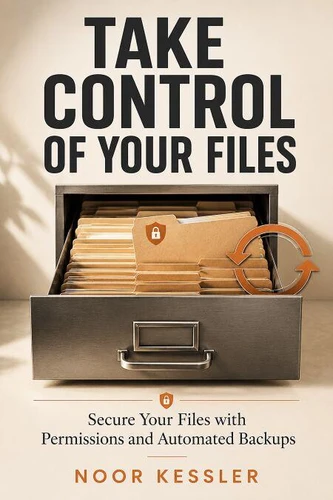
Windows 11 file management and organize files Windows 11 are essential skills for anyone who wants a clutter-free, secure, and efficient PC. Take Control of Your Files is the definitive guide to mastering your digital workspace-from permissions and libraries to automation scripts that keep your storage tidy. Whether you're a beginner overwhelmed by folders or a pro seeking advanced PowerShell tricks, this book delivers hands-on, practical solutions you can apply immediately.
You'll learn how to set up and manage libraries, configure file and folder permissions for security, and create automated cleanup routines using built-in Windows tools and simple scripts.
No fluff-just clear, step-by-step instructions with real-world examples. Stop wasting time hunting for files or worrying about accidental deletions. Start taking control.
Unlike Windows 11 For Dummies, 2nd Edition by Andy Rathbone or Windows Internals by Pavel Yosifovich, which cover broad Windows topics or deep system architecture, this book zeroes in on the one area that frustrates most users: file organization and automation.
You won't find generic tips here-only targeted, actionable advice for Windows 11.
What's inside:
Master Libraries and folder structures for instant access
Secure sensitive files with proper permissions and encryption
Automate file cleanup with Task Scheduler and PowerShell scripts
Sync files across devices using OneDrive and Windows Backup
Recover deleted files and manage version history
Create custom file tags and search shortcuts
Written by Noor Kessler, a veteran IT professional with over a decade of experience helping users tame their digital clutter, this book is your shortcut to a stress-free file system.
Whether you're a senior just getting started or a power user looking to optimize, Take Control of Your Files delivers the exact steps you need.
Don't let your files control you. Buy this book today and transform your Windows 11 experience.
Windows 11 file management and organize files Windows 11 are essential skills for anyone who wants a clutter-free, secure, and efficient PC. Take Control of Your Files is the definitive guide to mastering your digital workspace-from permissions and libraries to automation scripts that keep your storage tidy. Whether you're a beginner overwhelmed by folders or a pro seeking advanced PowerShell tricks, this book delivers hands-on, practical solutions you can apply immediately.
You'll learn how to set up and manage libraries, configure file and folder permissions for security, and create automated cleanup routines using built-in Windows tools and simple scripts.
No fluff-just clear, step-by-step instructions with real-world examples. Stop wasting time hunting for files or worrying about accidental deletions. Start taking control.
Unlike Windows 11 For Dummies, 2nd Edition by Andy Rathbone or Windows Internals by Pavel Yosifovich, which cover broad Windows topics or deep system architecture, this book zeroes in on the one area that frustrates most users: file organization and automation.
You won't find generic tips here-only targeted, actionable advice for Windows 11.
What's inside:
Master Libraries and folder structures for instant access
Secure sensitive files with proper permissions and encryption
Automate file cleanup with Task Scheduler and PowerShell scripts
Sync files across devices using OneDrive and Windows Backup
Recover deleted files and manage version history
Create custom file tags and search shortcuts
Written by Noor Kessler, a veteran IT professional with over a decade of experience helping users tame their digital clutter, this book is your shortcut to a stress-free file system.
Whether you're a senior just getting started or a power user looking to optimize, Take Control of Your Files delivers the exact steps you need.
Don't let your files control you. Buy this book today and transform your Windows 11 experience.