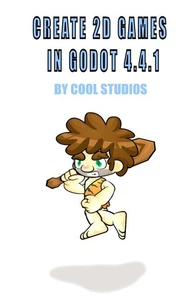
Create 2D Games in Godot 4.4.1by Cool StudiosIn this tutorial we will learn how to create computer games using Godot 4.4.1. We will study the skills and techniques that we need to acquire, to generate many 2D type games, among other genres, of your own design using the Godot game engine. The workflow we follow when creating projects in Godot maybe a little different to the workflow you may have followed in the past with other game engines.
We construct a project by creating Scenes, which contain a collection of Nodes of various types, which contain our resources and assets that we will use in our game design. Next we create Main/Level scenes which will hold our assets to build our levels. Below you will see many assets that we will create in the project for this example scenePlayer - an animated Cave-dweller CharacterBody2D sprite which is moved around the levelGround - a StaticBody2D object on which the Player can move aroundBee - an enemy, constructed of an Area2D node which can be animated and contains Collision detectionApple - a collectable Area2D node which can be animated and contains Collision detectionPlatforms - on which the Player can traverse to collect items in the levelEnd of Level - which contains Collision detection, which will allow the Player to move to the next level if they have collected all of the collectable objectsHUD - Displays details about the level, examples are: Lives; Score; Health etcBackground - to create atmosphere to your levels, these can be used as parallax if requiredIn this tutorial we will learn how to create each of these elements so we can use these skills and techniques to design and create our own computer games for others to enjoy.
Have Fun!Cool Studios
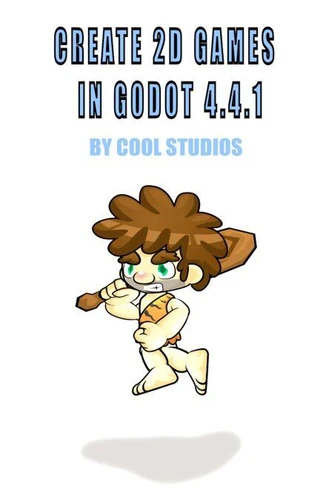
Create 2D Games in Godot 4.4.1by Cool StudiosIn this tutorial we will learn how to create computer games using Godot 4.4.1. We will study the skills and techniques that we need to acquire, to generate many 2D type games, among other genres, of your own design using the Godot game engine. The workflow we follow when creating projects in Godot maybe a little different to the workflow you may have followed in the past with other game engines.
We construct a project by creating Scenes, which contain a collection of Nodes of various types, which contain our resources and assets that we will use in our game design. Next we create Main/Level scenes which will hold our assets to build our levels. Below you will see many assets that we will create in the project for this example scenePlayer - an animated Cave-dweller CharacterBody2D sprite which is moved around the levelGround - a StaticBody2D object on which the Player can move aroundBee - an enemy, constructed of an Area2D node which can be animated and contains Collision detectionApple - a collectable Area2D node which can be animated and contains Collision detectionPlatforms - on which the Player can traverse to collect items in the levelEnd of Level - which contains Collision detection, which will allow the Player to move to the next level if they have collected all of the collectable objectsHUD - Displays details about the level, examples are: Lives; Score; Health etcBackground - to create atmosphere to your levels, these can be used as parallax if requiredIn this tutorial we will learn how to create each of these elements so we can use these skills and techniques to design and create our own computer games for others to enjoy.
Have Fun!Cool Studios